
Electronic signature softwareDigital signatures, without the legacy price tag.
Draft, send, sign and prove agreements in one place. Every envelope gets signer authentication and a tamper-evident certificate, at a fraction of what the big e-signature vendors charge.
Signer authentication included
SHA-256 hashed, RFC 3161 timestamped
No account needed to sign
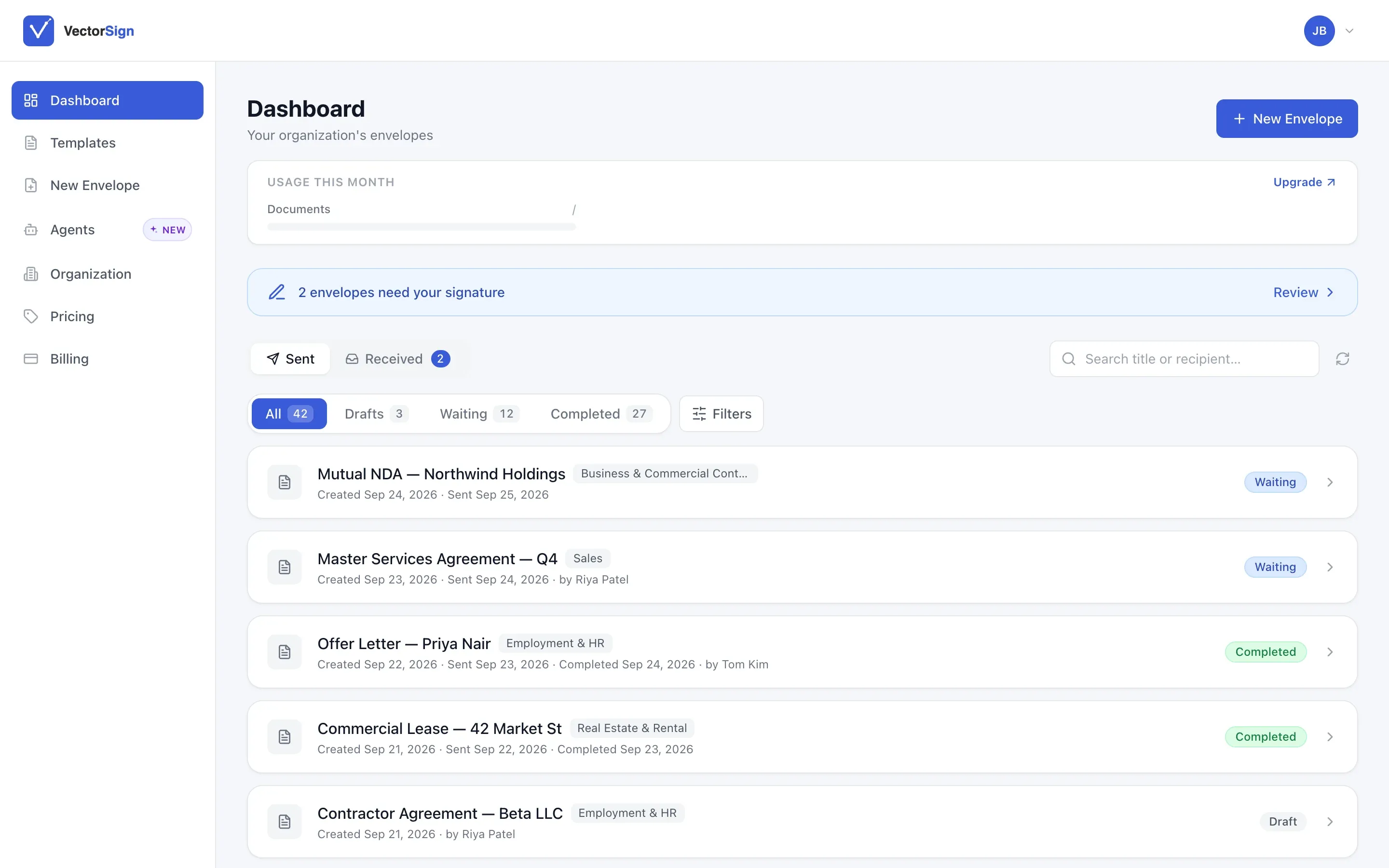
E-signature stopped being new technology a long time ago. The pricing never caught up. Per-envelope fees, per-seat fees, and identity checks sold as an upgrade turn a simple signature into a line item finance asks about every quarter.
We built VectorSign on the same engine that already renders and stores your documents, so we don’t charge you to move a file into a separate signing system and back. Authentication and the certificate come with every signature, because a signature without them isn’t worth much.
Use it as a standalone app for your team, or embed it inside your own product so your customers sign without ever leaving your site. Either way, the signed copy and its certificate land back in your system of record automatically.
New · Agents
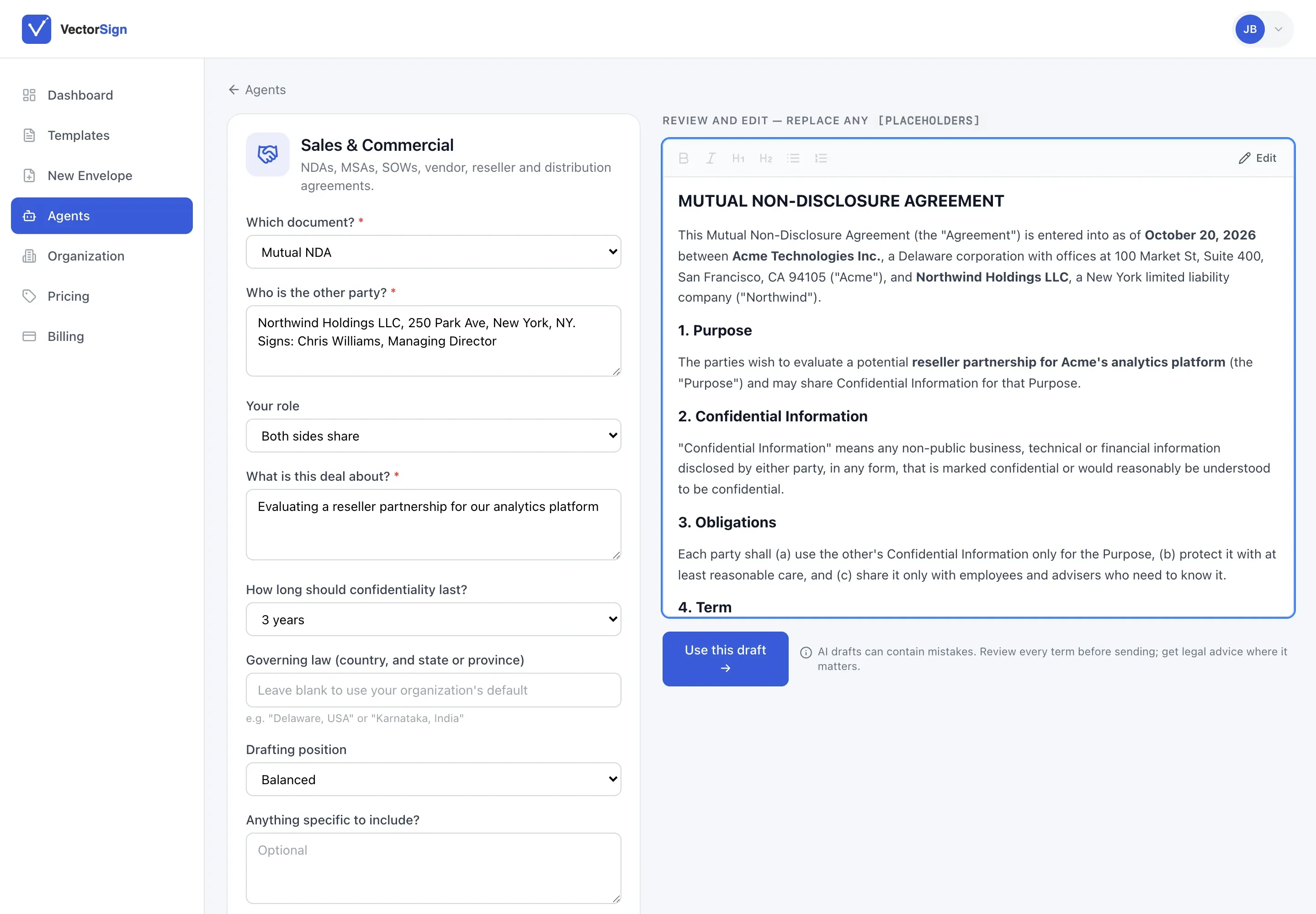
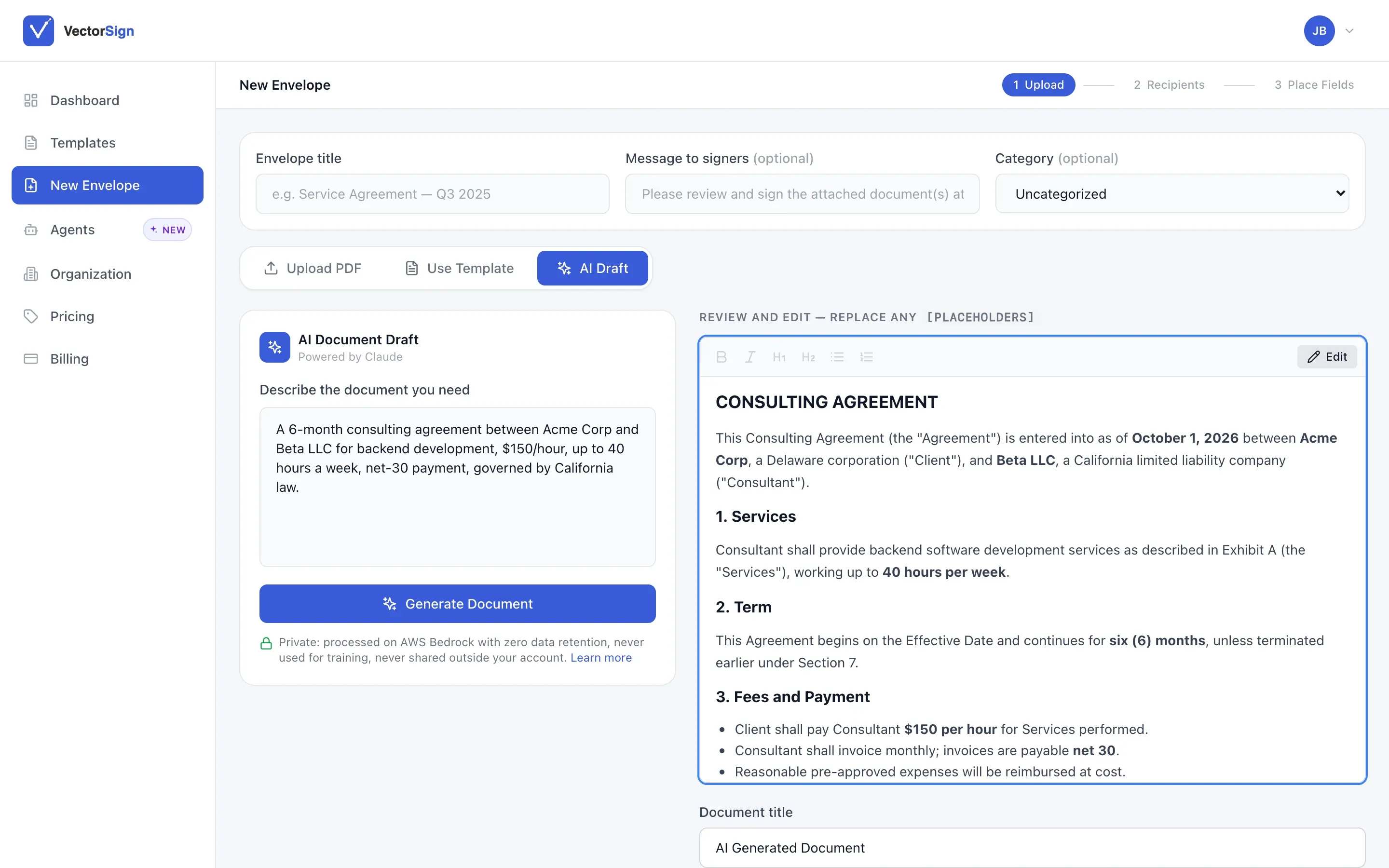
Don’t have the document yet? Draft it here.
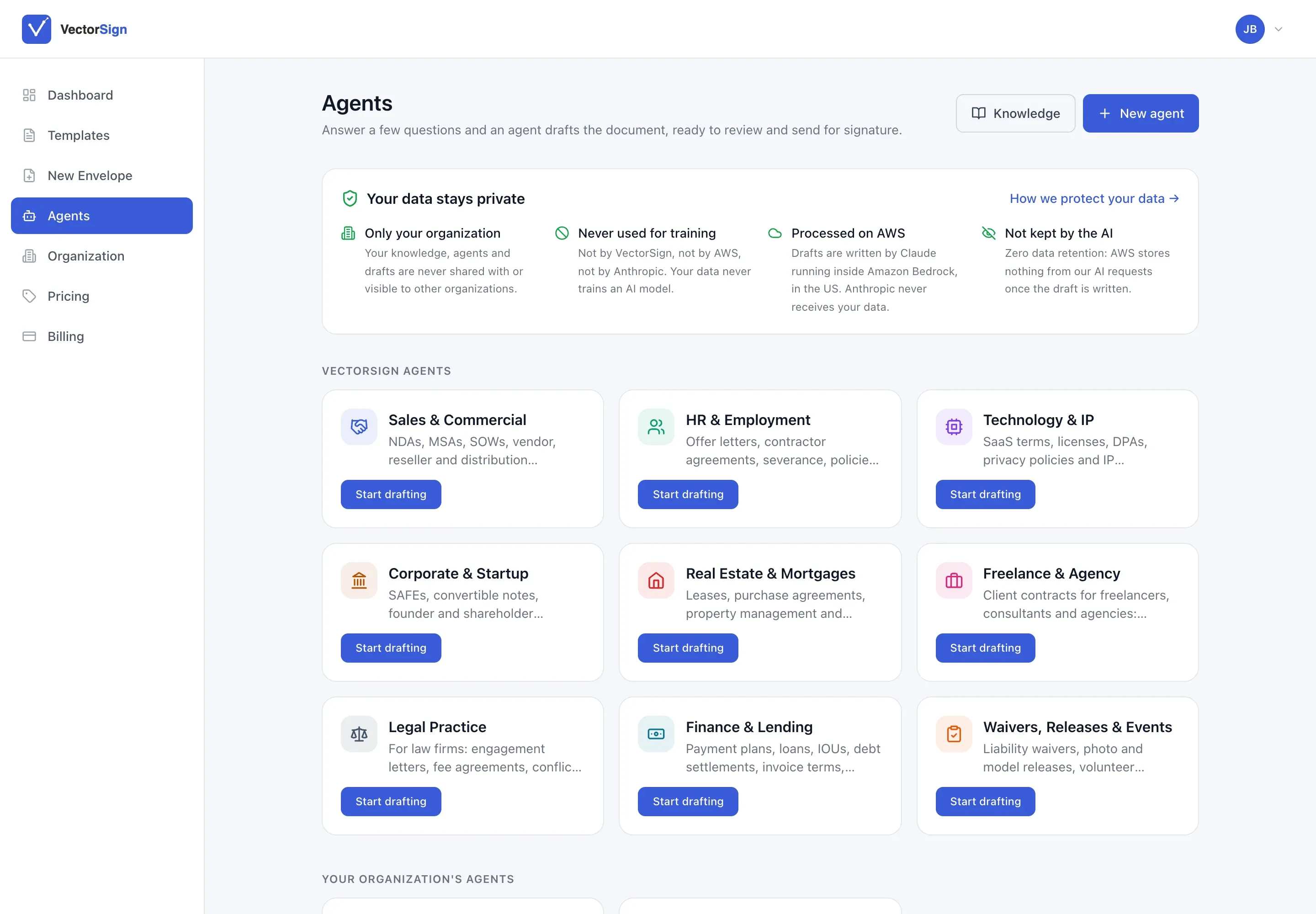
Pick an agent, such as Sales & Commercial, HR & Employment or Real Estate. Answer a few questions about the other party and the deal, and you get a first draft ready to review and send for signature.
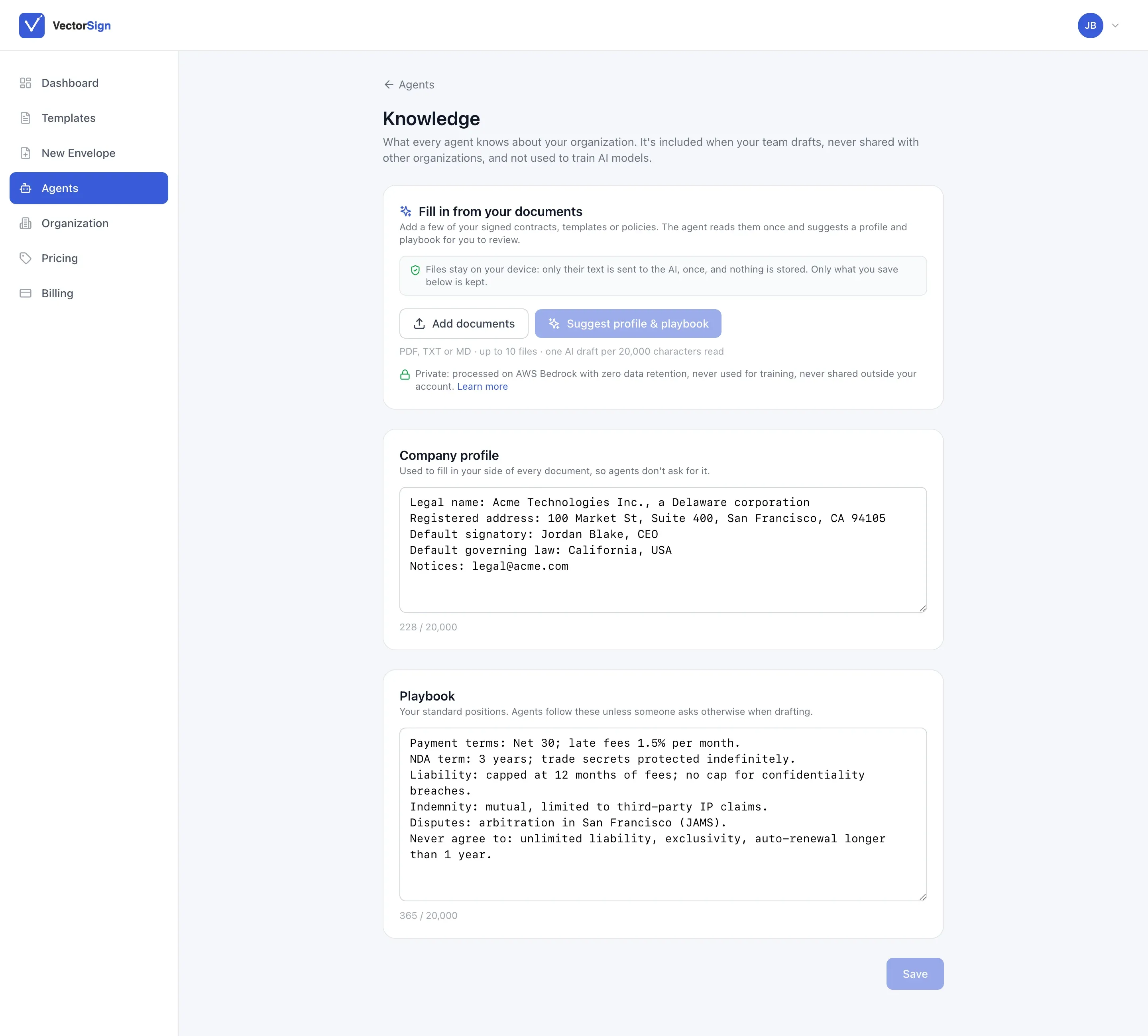
Agents already know your company. Add your legal name, signatory and standard positions once, like net 30, a three-year NDA term or no unlimited liability. Every draft starts from your playbook, not someone else’s.
Only your organization
Your knowledge, agents and drafts are never visible to anyone else.
Never used for training
Not by us, not by AWS, not by Anthropic.
Processed on AWS
Drafts are written by Claude running inside Amazon Bedrock, in the US.
Nothing kept
Zero data retention. Nothing from the request is stored once the draft is written.
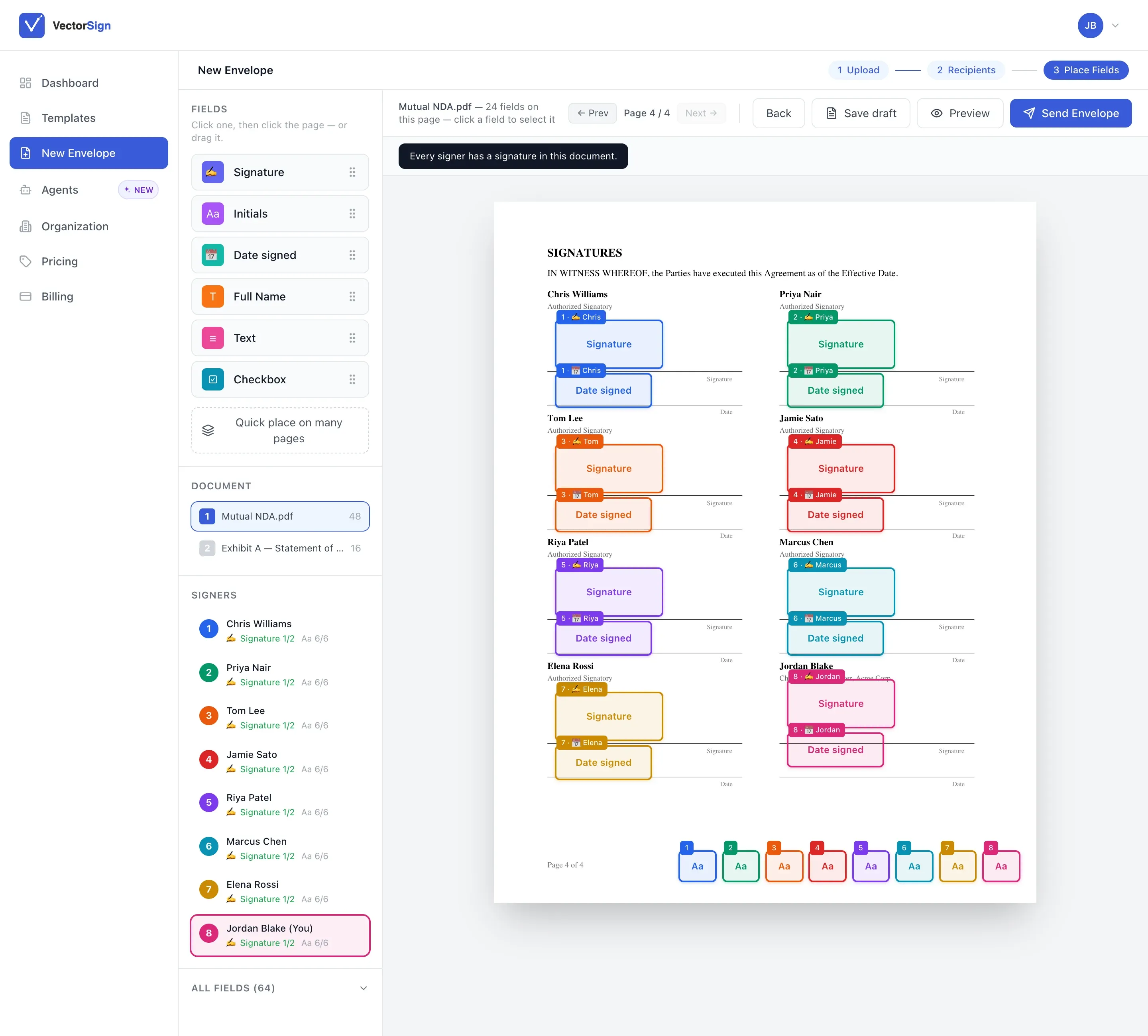
Eight signers on one page? Still easy.
Every signer gets their own color, so you can see at a glance whose fields are whose. Drag on signatures, initials, dates, names, text and checkboxes, or drop the same field on every page at once.
Before you send, VectorSign checks that every signer actually has somewhere to sign. Exhibits and attachments travel in the same envelope.
- Upload a PDF, start from a template, or draft with AI
- Set the order people sign in
- Save a draft and come back to it
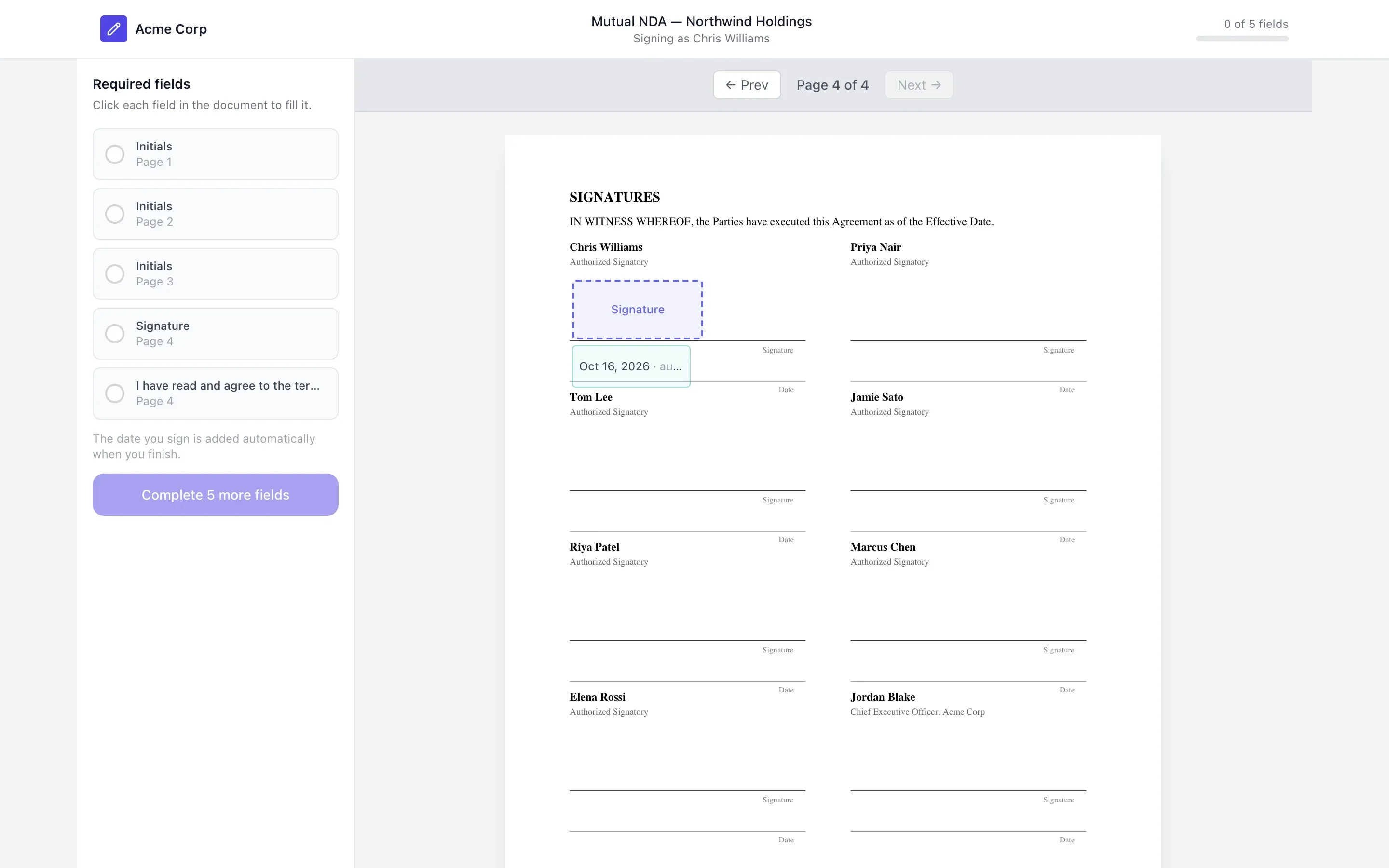
What your signer sees: your name, and a short list.
The signing page carries your organization’s branding, not ours. Signers get a checklist of exactly which fields are theirs and on which page, and a counter that tells them how many are left.
There’s nothing to install and no account to create. The date fills itself in when they finish.
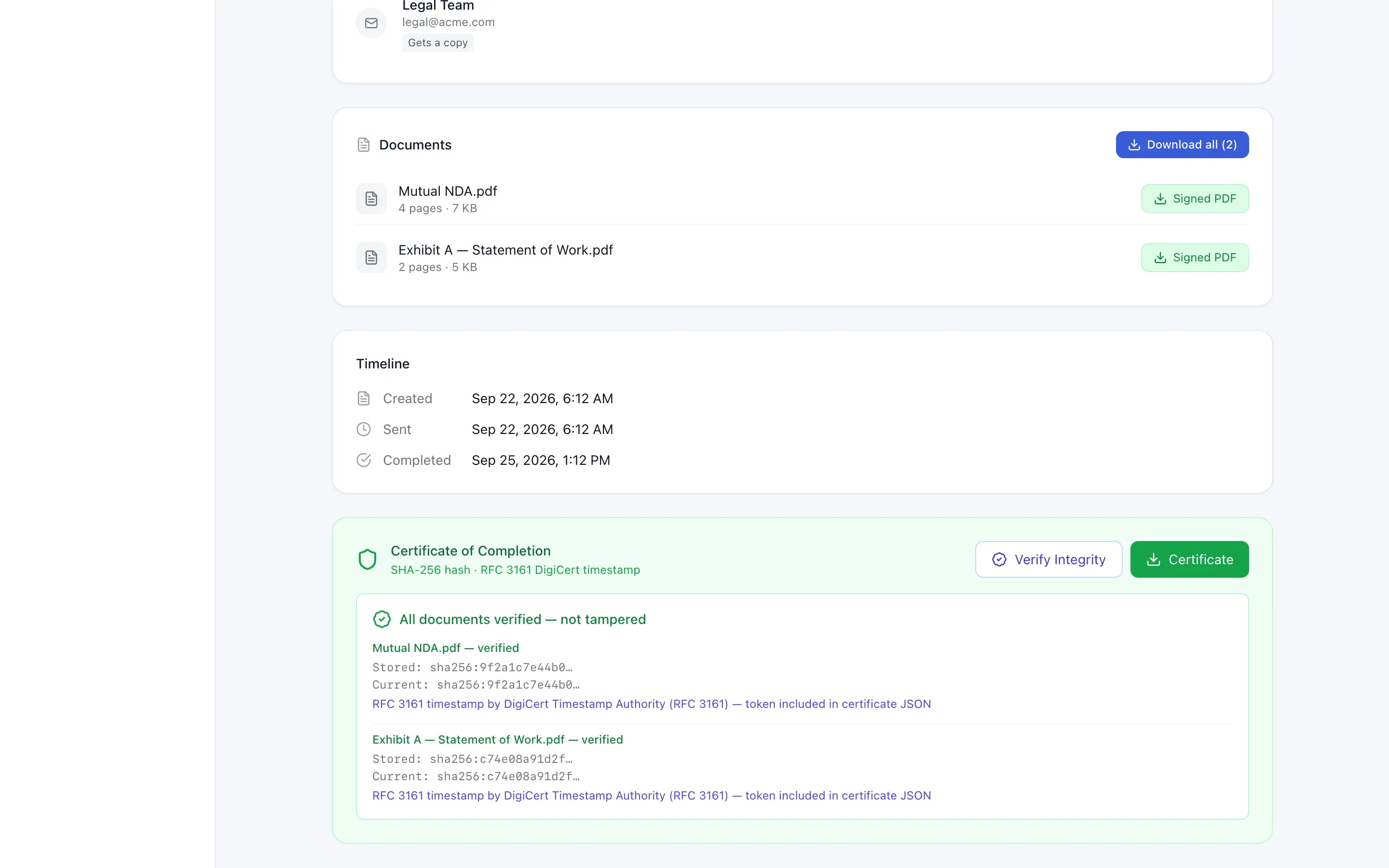
Proof that holds up later.
When the last person signs, every document gets a Certificate of Completion. It records a SHA-256 hash of each file and an RFC 3161 timestamp from DigiCert’s timestamp authority.
Months from now, press Verify Integrity and VectorSign compares today’s hash with the stored one. If a single character has changed, you’ll know.
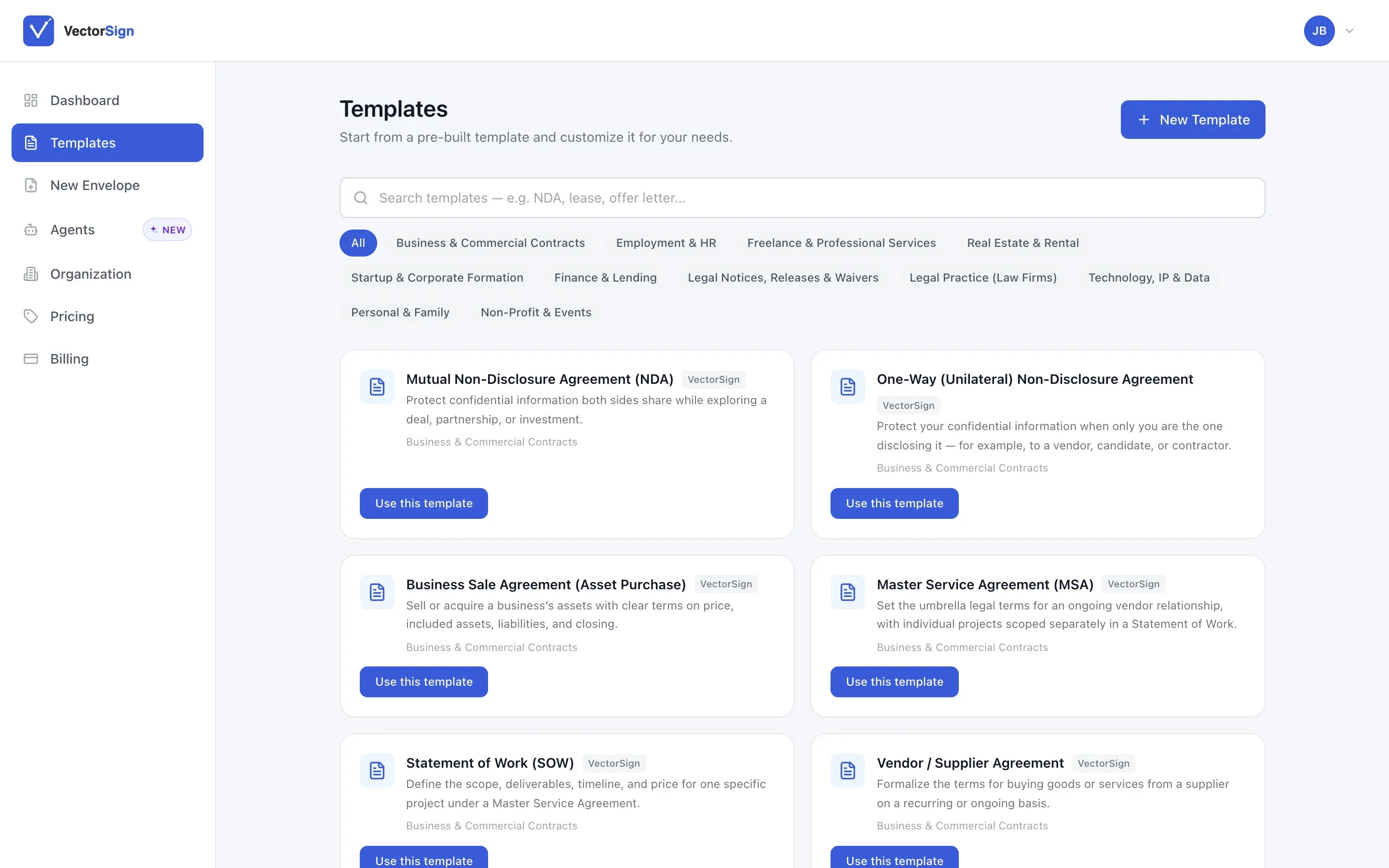
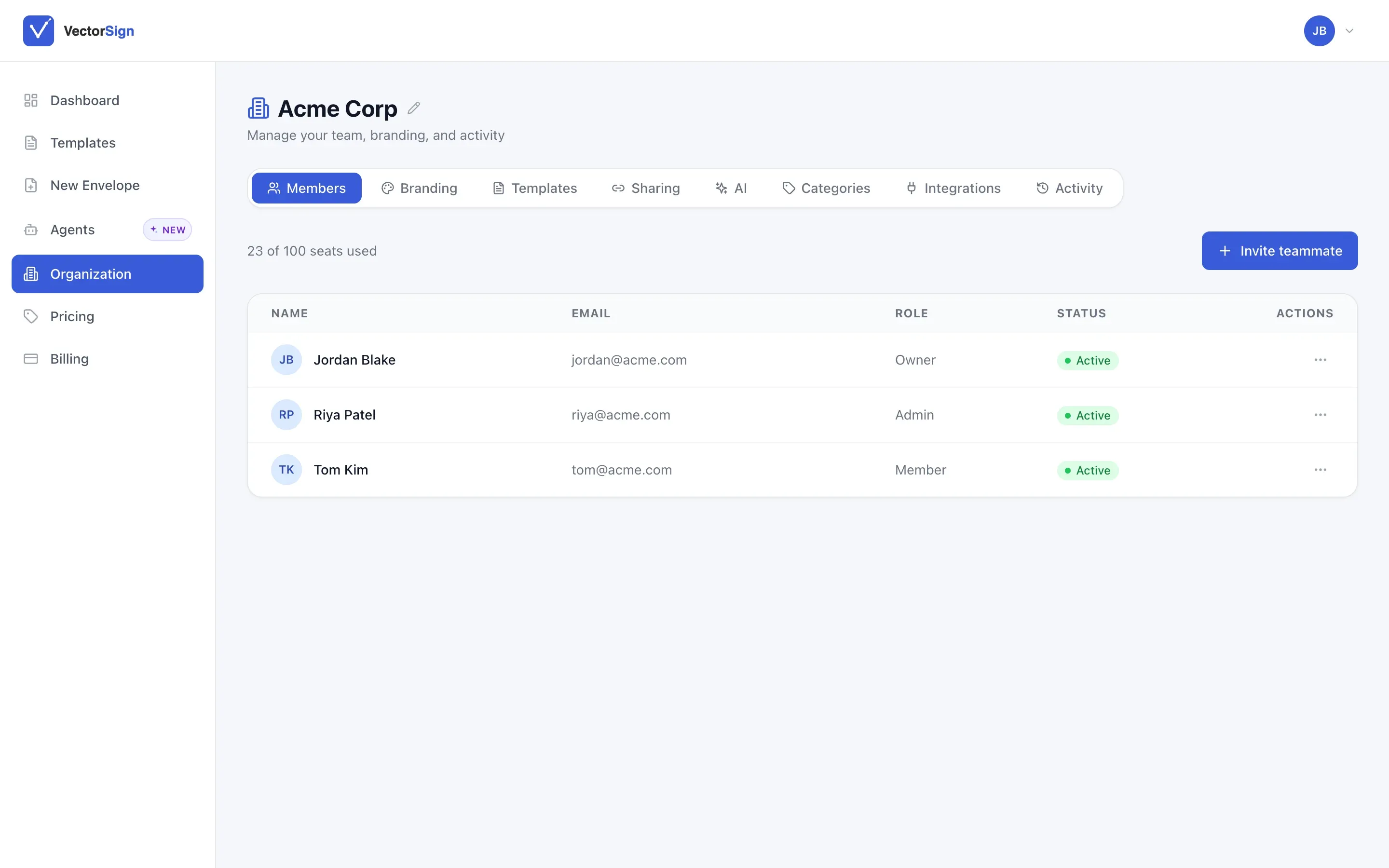
Everything else your team will use.
From upload to signed, in seven steps
- Upload, pick a template or draft with AI
- Add signers and place their fields
- Send the signature links
- Recipients review and sign
- Signing completes
- The certificate is generated
- Everyone gets the signed copy
How it compares.
| VectorSign | Typical legacy vendor | |
|---|---|---|
| Pricing model | One flat price for your whole team | Per-user seats; Adobe Sign and Dropbox Sign have a two-seat minimum |
| Envelope limits | Plan-based | Some tiers cap envelopes per user per year, with overage fees |
| Certificate with hash and trusted timestamp | Included on every signature, with one-click verification | Certificate of completion included; timestamp detail varies |
| AI drafting from your own playbook | Built in, with your company knowledge; zero data retention | Bundled into higher-tier suites or quote-based |
| API and webhooks | Included, with retries | Often a separate API plan |
| Run in your own AWS account | Yes, white-labeled | Rarely |
| Forms, CLM and viewer on the same platform | Yes | Separate products or partners |
Based on publicly listed plans as of November 2026. Vendor plans change, so check their current pricing pages.
Works well with
VectorForms
Make a signature part of submitting the form. The customer fills it in and signs in one sitting, and you get it back validated.
See VectorForms →
Works well with
VectorCLM
When negotiation wraps up, the final version goes straight to signature. No exporting and re-uploading the agreement.
See VectorCLM →
What people ask about VectorSign.
Are signatures legally enforceable?
VectorSign records signer authentication, a tamper-evident audit trail and a timestamped certificate, which are the things ESIGN and UETA generally look for. Enforceability still depends on the document and jurisdiction, so check with counsel for high-stakes agreements.
Is our data used to train AI?
No. Drafts are written by Claude inside Amazon Bedrock with zero data retention. Your documents, knowledge and drafts are never used to train a model, and they’re never shared outside your organization.
How is it priced?
At a fraction of the per-envelope cost of legacy vendors. Usage above your plan is billed per envelope rather than cut off. See pricing.
Can one document have several signers?
Yes. Add as many signers as the deal needs, color-coded so their fields never get mixed up, and choose the order they sign in.
Can we embed it in our own app?
Yes. VectorSign runs as a standalone app or as an embedded component inside your product, through the same standard API as the rest of the suite.
How do we prove a document wasn’t changed?
Open the envelope and press Verify Integrity. VectorSign recomputes each document’s SHA-256 hash and compares it with the one recorded at completion, alongside the RFC 3161 timestamp.
See what you’d save by switching.
Bring last year’s envelope count. We’ll show you the difference on the call.