
Contract lifecycle management softwareEvery contract, from request to renewal.
VectorCLM runs the whole life of a contract in one tracked, auditable process: intake, drafting, review, negotiation, signature, and the dates that matter after it’s signed.
Runs independently, end to end
Internal and external review built in
Obligation and renewal tracking
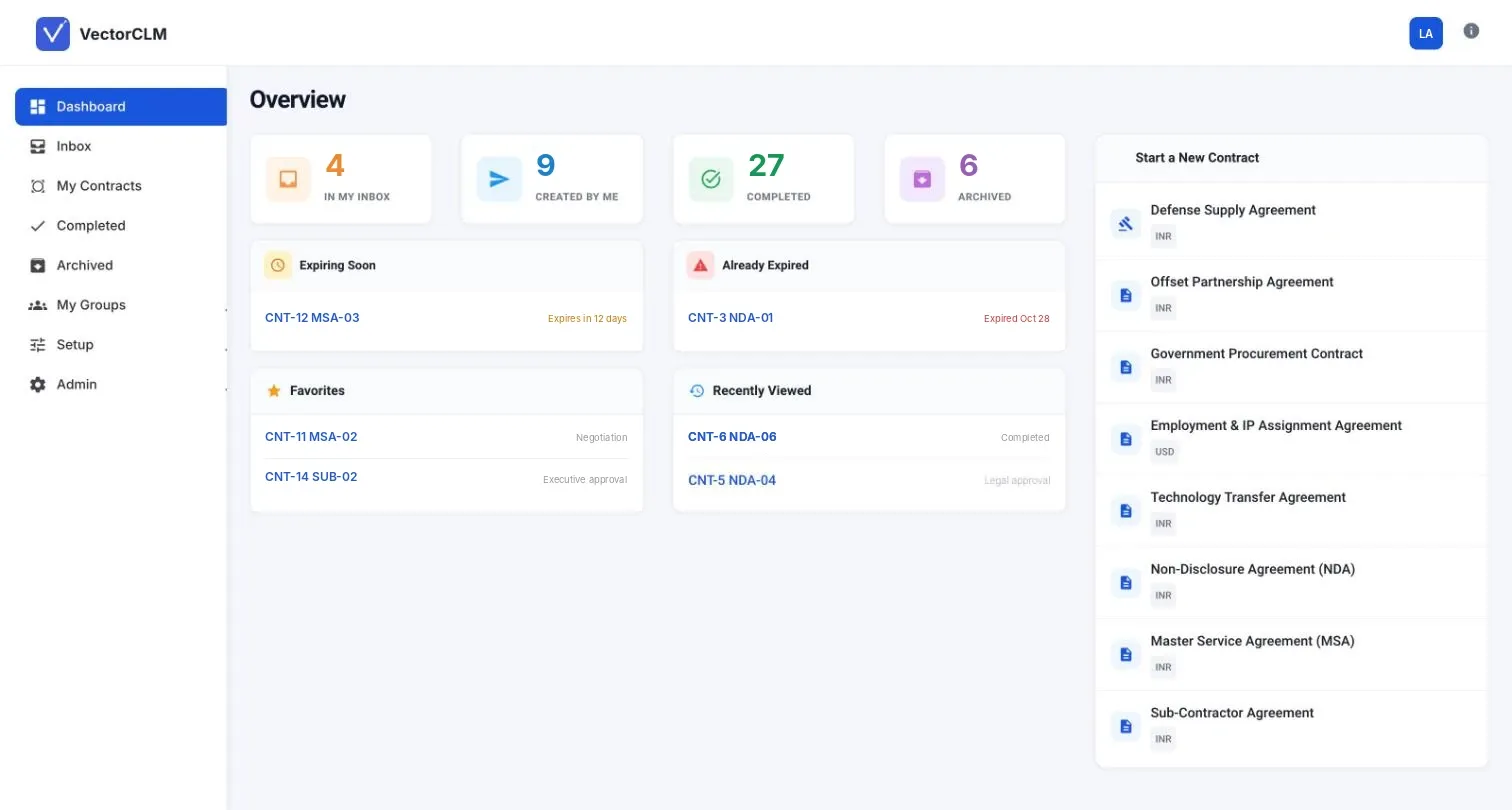
Most contract problems don’t happen at signature. They happen before it, when a draft goes out without approval, and long after it, when a renewal date passes and nobody noticed.
VectorCLM puts every contract through the same path. Internal reviewers sign off before anything is shared. Counterparties negotiate from a link, without needing an account. The final version goes straight to signature.
Once it’s active, the contract doesn’t disappear into a folder. Key dates and obligations are tracked, and you get an alert before anything expires, so you can renew, amend or let it go on purpose.
One record for every contract.
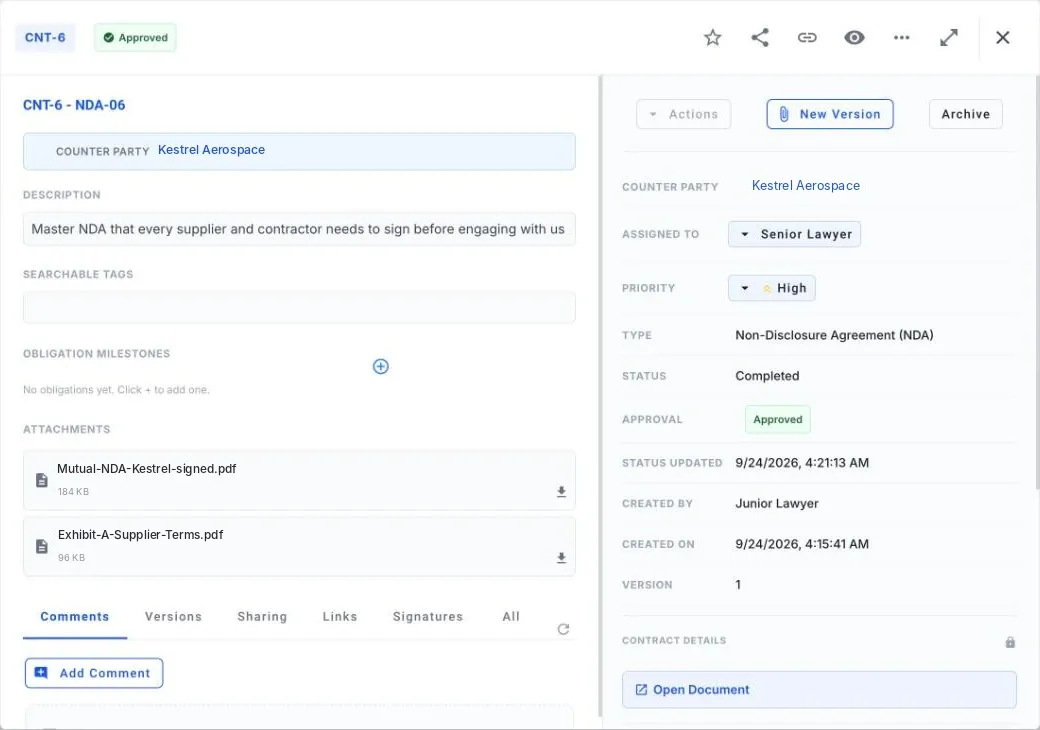
Open any contract and everything about it is in one place: the counterparty, who owns it, its priority, stage and approval, the signed files, every version, and the comments that got it there.
Share it, link to it, star it, or start a new version without losing the old one.
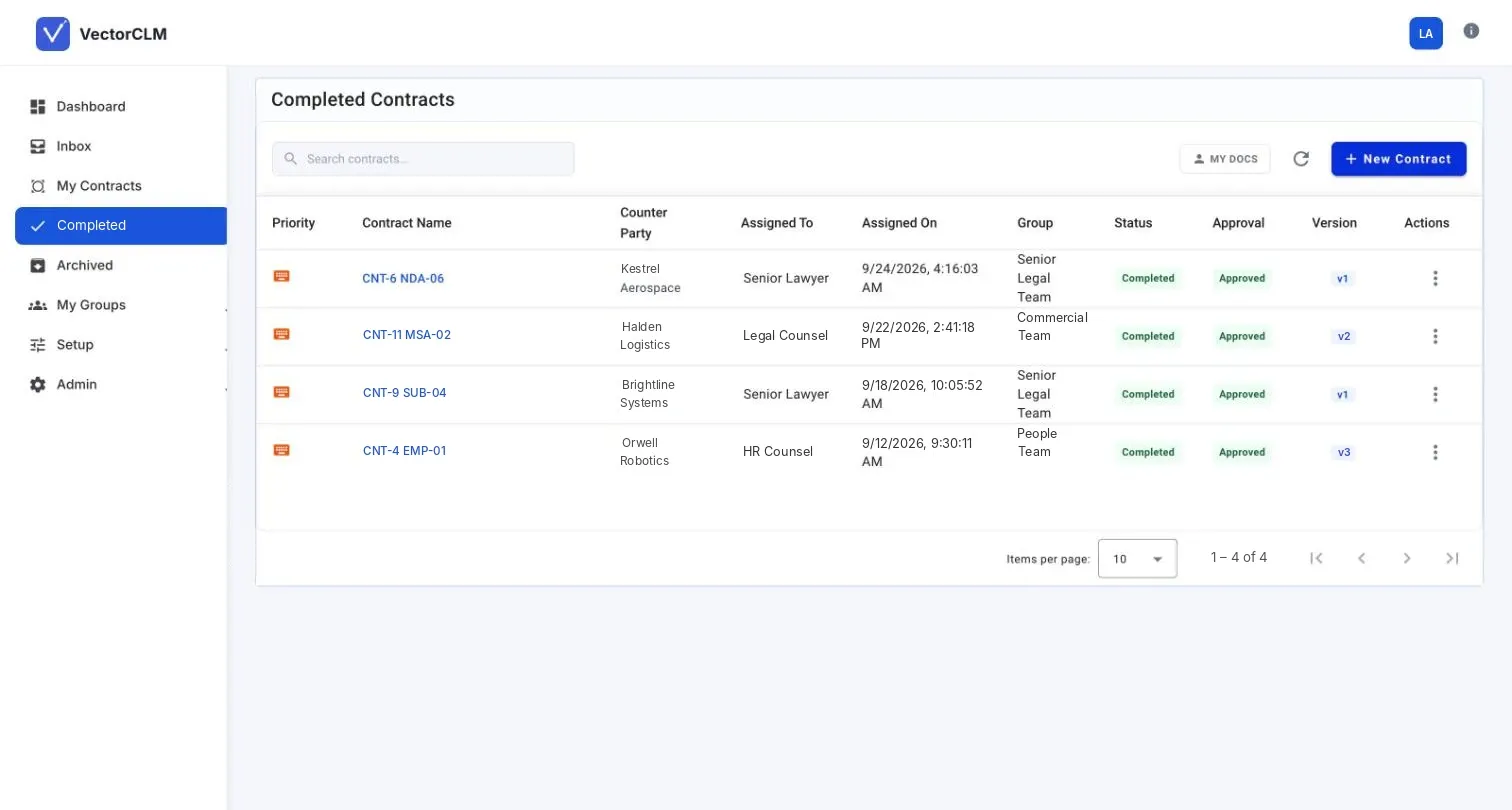
Every stage of the contract, in one system.
Request & drafting
Take in contract requests and draft from your templates or from scratch.
Review & approval
Route drafts through internal review and approval before anything is shared outside.
Negotiation & signature
Negotiate with the other side from a shared link, then execute with an electronic signature.
Obligations & renewals
Track key dates and obligations, with alerts before expiry. Renew, amend, terminate or archive.
Eleven stages, one connected process.
Every contract follows the same tracked path from first draft to final archive, so you always know where each one stands and who has it. The stage names are yours to change: rename them, add your own, or drop the ones you don’t use.
- 01Contract requestRequested and scoped
- 02Contract creationDrafted from a template or scratch
- 03Internal reviewStakeholders review the draft
- 04ApprovalCleared for negotiation
- 05External negotiationTerms agreed with the other party
- 06Final approvalFinal internal sign-off
- 07Electronic signatureAll parties sign digitally
- 08ActivationThe contract takes effect
- 09Obligation & renewal trackingDates and duties tracked automatically
- 10Renew, amend or terminateChanged or ended on purpose
- 11ArchiveKept for the long term
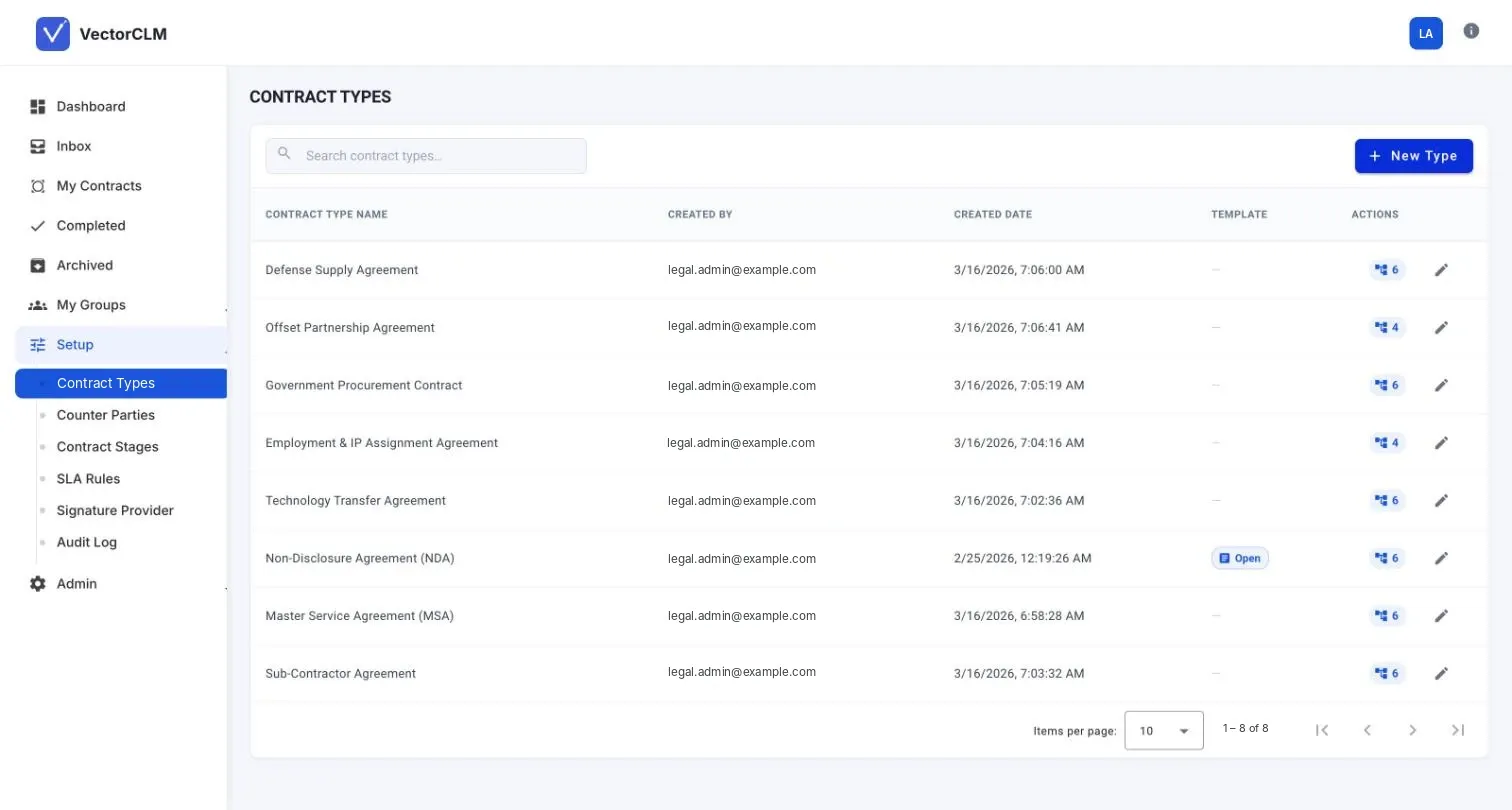
Set it up the way your legal team already works.
No two legal teams run contracts the same way. VectorCLM bends to yours, not the other way round.
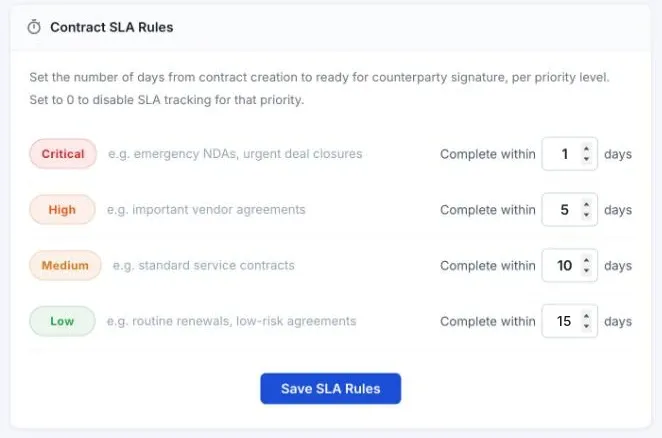
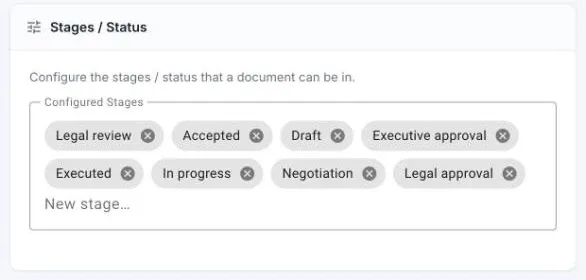
- Contract typesEach with its own template and steps
- CounterpartiesOne directory of who you contract with
- GroupsAssign contracts to a team, not just a person
- Signature providerChoose how contracts go out for signing
- Audit logEvery change, by whom and when
For legal
One place for every agreement, with the approval trail behind each version.
For sales and procurement
Send drafts to the other side from a link and watch them move. No chasing over email.
For finance
Renewal alerts arrive before the date, not after the invoice.
What people ask about VectorCLM.
Do we need the rest of the suite?
No. VectorCLM runs on its own, and connects with VectorViewer and VectorSign when you want review and signature in the same flow.
Which stages does it manage?
Request, drafting, internal review and approval, external negotiation, signature, activation, and renewal or termination.
Can the other side negotiate without an account?
Yes. Counterparties review and negotiate through a shared link, without a full login.
Does it track renewal dates?
Yes. Active contracts are tracked for key dates, with alerts sent before they expire.