
Contract management for legal teamsDraft, negotiate and execute agreements in one place.
Legal teams run the whole contract lifecycle, review discovery and diligence files in the browser, and work on documents with clients and opposing counsel, with a record of every change.
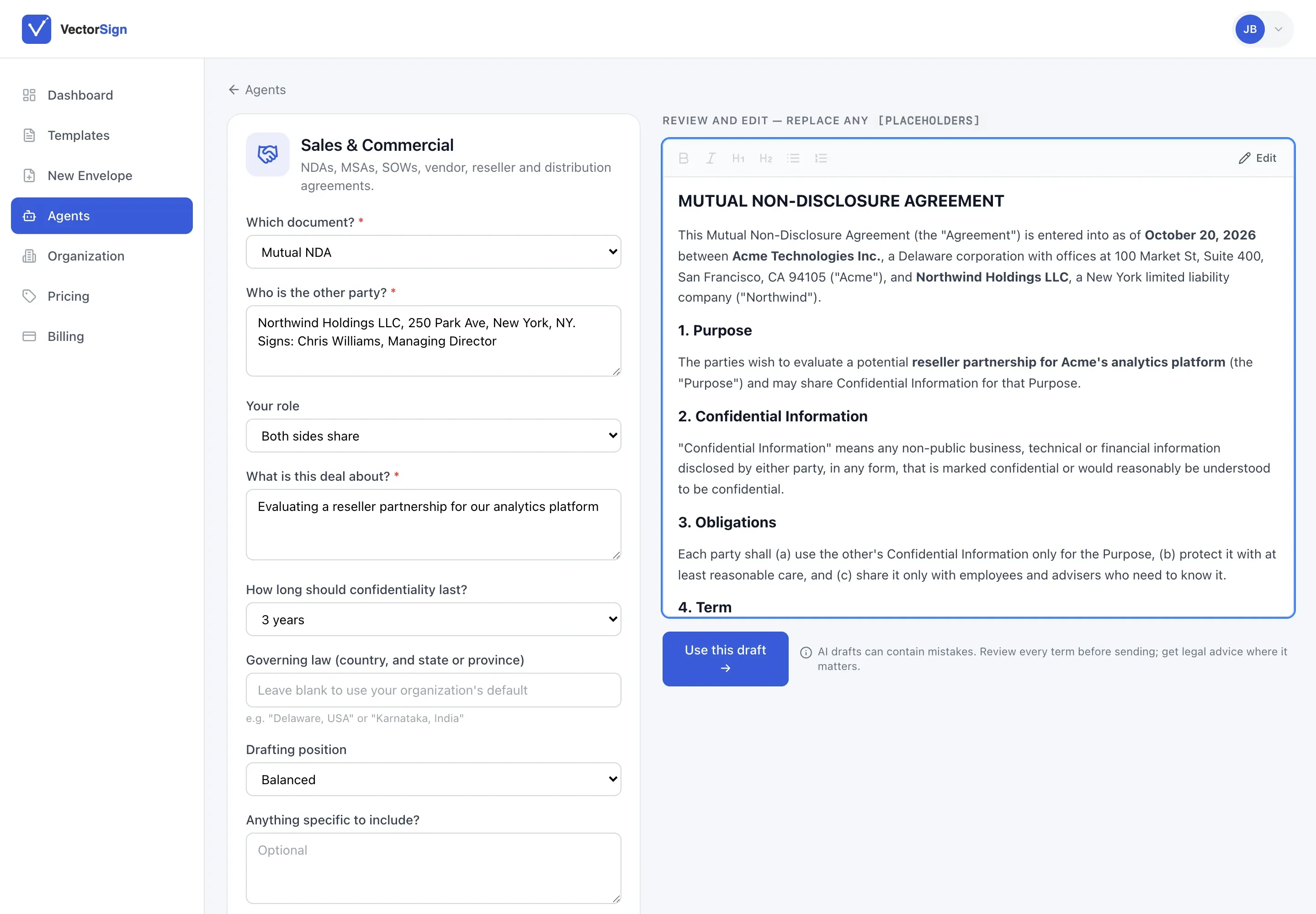
Most contracts don’t stall on the hard clauses. They stall on the third copy of the draft in someone’s inbox, the redline nobody can find, and the signature page that went to the wrong address.
VectorViewer keeps one version of the agreement from the first request to the archived, signed copy. Your team and the other side mark up the same document, every version is kept, and the executed contract carries its own audit trail.
Where legal teams use it most.
VectorCLM
The whole contract lifecycle
Track contracts, exhibits and briefs from request through drafting, review, signature and renewal. Start new requests from pre-approved templates instead of last year’s Word file.
Learn more →
VectorViewer
Redline, annotate and redact
Counsel and clients review the same draft in real time. More than 30 formats open in the browser, and redaction lets you mark privileged material before a document is shared.
Learn more →
VectorSign
Execution with an audit trail
Collect signatures from clients and counsel. The original document stays intact beneath every annotation, and each signature is recorded.
Learn more →
One agreement, start to finish.
How a typical commercial agreement moves through the suite.
01
Draft the agreement
Start in VectorCLM from a template or a blank draft. The contract is tracked from the moment it’s requested.
02
Redline and negotiate
Internal counsel and the other side mark up the same draft through a shared link. Every version and comment is kept.
03
Execute and archive
Sign with VectorSign and archive the final agreement with a tamper-evident audit trail.
The documents we see every day.
From a one-page NDA to a production set with thousands of pages. If it’s a PDF, an image or an Office file, it opens in the browser.
- Master services agreements
- NDAs and confidentiality agreements
- Statements of work
- Engagement letters
- Trial exhibits
- Briefs and pleadings
- Discovery productions
- Due diligence data rooms
- Amendments and renewals
- Settlement agreements
For in-house legal
One record per contract, with every redline, approval and signature attached to it.
For litigation
Open large productions in the browser, annotate exhibits, and redact privileged content before anything goes out.
For transactions
Run diligence review and closing signatures from the same place, without a separate data room tool.
For clients and counterparties
Review and sign from a link. Nobody on the other side needs an account.
Fits alongside the tools your firm already uses.
Lawyers don’t have to change where their files live. Through standard APIs, drafts and executed agreements can be read from and written back to your document management system, and contract records can be kept in step with matter data. Counterparties and clients only ever need a link.
Firms with strict confidentiality requirements can run the suite in their own AWS account.
Connects through standard APIs to
- Document management systems
- Matter and practice management
- E-billing
- Shared drives and email
Questions from legal teams.
Can VectorCLM manage a contract from request through renewal?
Yes. It covers request, drafting, internal and external review, signature, activation, and renewal or termination in one system.
Can outside counsel or counterparties redline without a full account?
Yes. External parties negotiate through a shared link without a VectorCLM login.
Can VectorSign be used for legal agreements?
It records signer authentication and a full audit trail. Enforceability depends on the document and jurisdiction, so check with counsel for high-stakes use.
Can we see every redline and version?
Yes. VectorCLM keeps a full version history from first request to execution, showing what changed and who changed it.
How does redaction work?
Mark areas with rectangle or circle redactions. The redactions are applied when the document is exported, so the copy you share carries the redacted output.
Bring us your messiest agreement.
We’ll set it up in VectorCLM and walk it from request to signature on the call.