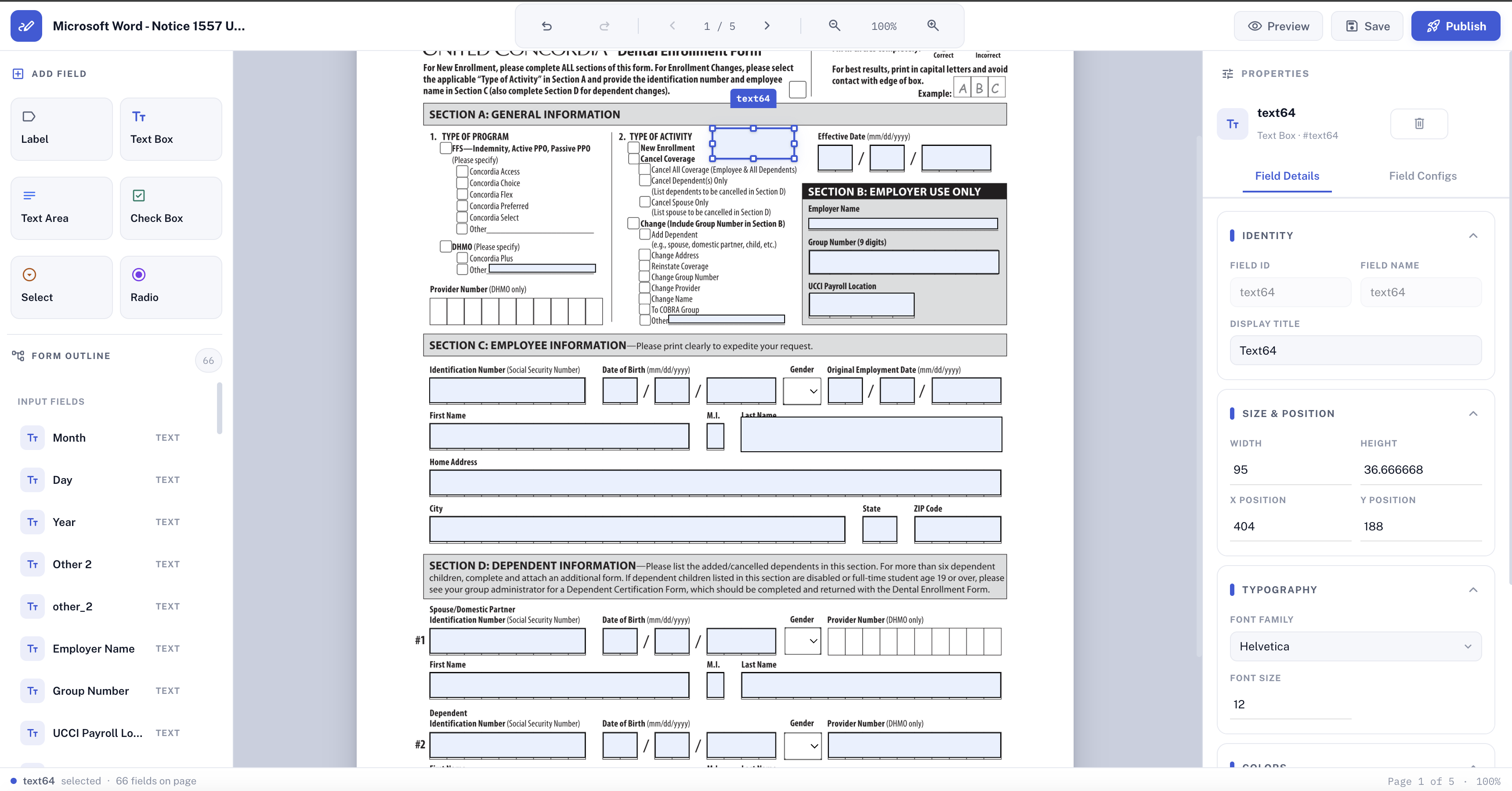
Convert a static PDF into a fillable form with business rules built in, or design a new one from scratch in the forms editor.
One form, one set of rules — publish once and every submission arrives validated, signed, and ready to review.
Upload an existing static PDF and turn it into a fillable form without redesigning it from scratch.
Mark fields as required, numeric, date, or password, and layer in conditional logic and calculations without writing a backend.
Drag text fields, checkboxes, radio buttons, and dropdowns onto any page, and write custom JavaScript for business logic the field editor can't cover.
Track every form through its status — created, saved, submitted, signed, verified, and inducted — and route completed ones straight into your workflow.
Require a signature as part of a form's submission workflow, all in one step.
See VectorSignReview a completed submission the same way you review any other managed document.
See VectorViewerUpload a static PDF and VectorForms maps its fields automatically; you can then adjust the mapping and add business rules by hand.
Conditional visibility, required-field logic, calculations, validation, and routing rules that send a submission to the right reviewer based on its answers.
No — the built-in editor lets you design a fillable form from a blank page if you don't have an existing PDF to convert.
VectorForms connects directly to VectorSign, so a form can require one or more signatures as part of its submission workflow.